Contact support ↗

Account and privacy

Sign-in, phone number, account security and data requests.

How do I sign in to GrowthX?

Sign in with the phone number linked to your GrowthX account, including the correct country code.

  1. Enter your number. Open Sign in, check the country flag and calling code, then enter your registered phone number.
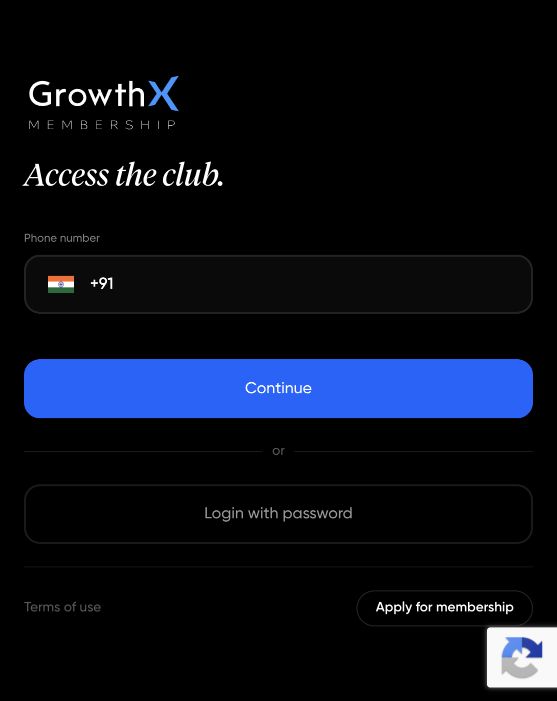
    Check the country code and enter your registered number. This is a screenshot, not a sign-in form.
    Check the country code and enter your registered number.
  2. Select Continue. The next screen tells you where the one-time password (OTP) was sent. Check that destination for the code.
    Select Continue to request your code. This is a screenshot, not a sign-in form.
    Select Continue to request your code.
  3. Enter the latest OTP and select Login. If the number is wrong, select Edit. If the code has expired, request a new one when Resend OTP becomes available.

If you have already set a password, choose Login with password, enter your registered number and password, then select Login. The web sign-in page does not use email or Google sign-in.
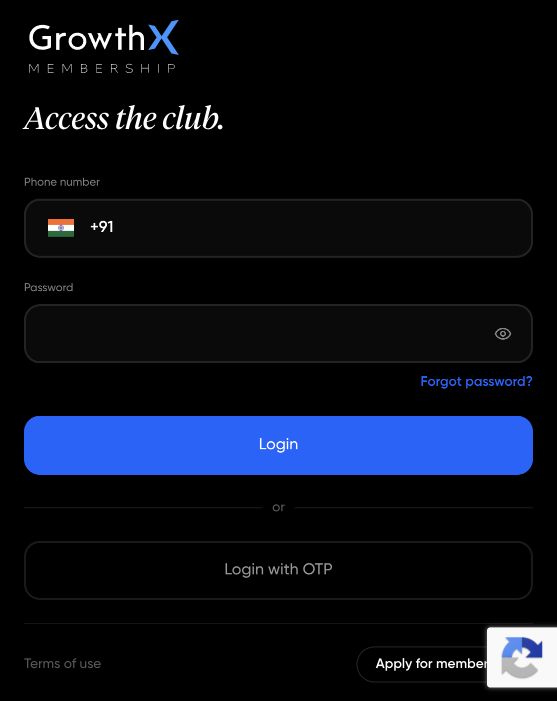
Password option: use the password you have already set. This is a screenshot, not a sign-in form.
Password option: use the password you have already set.

What should I do if an OTP or sign-in message does not arrive?

First check the phone number, country code and delivery destination shown on the sign-in screen. The code may be sent through a different channel from the one you are checking.

  1. Correct the number if needed. Select Edit on the OTP screen to change it.
  2. Request a fresh code. Wait until Resend OTP is available, then use the latest code you receive.
  3. Try an offered alternative. Use Try WhatsApp instead or Try SMS instead if shown. Available delivery options can differ by country. If you already have a password, you can choose Login with password.

Still locked out? Email [email protected] with your account email, approximate attempt time and time zone, delivery channel and the error message. If you are signed in on another device, you can also use Report an issue there. Never send your OTP or password.

How do I change my account phone number?

Your registered phone number is used to sign in. It cannot be edited in the Account settings form; ask the team to help you change it.

  1. If you can sign in, use Report an issue from that account and explain that you need to update your registered number.
  2. If you cannot sign in, email [email protected] with your account email and explain whether you still have access to your old number.
  3. Complete the ownership check. The team will verify that the account belongs to you before changing the sign-in details. Share any requested account information privately, never in a community post.

Changing the phone on your community profile does not change the number you sign in with.

Do not create another account or buy again to work around a number change. Never share your password or OTP.

How do I resolve duplicate accounts or purchases made under different emails?

Keep both accounts intact while the team checks your purchases and learning records. Do not delete an account or pay again to try to move access.

From an account you can access, use Report an issue and include:

  • The email addresses associated with the affected accounts.
  • The product names, purchase dates and order or payment references.
  • The account you want to keep using, and which purchase or learning record appears to be missing.

If you cannot sign in to either account, email the same details to [email protected]. The team will check ownership and available corrections; submitting a request does not automatically merge accounts or transfer purchases.

How do I sign out or secure a lost device?

To sign out on a device you can access: open Settings and select Log out (in the app: your profile → Log out).

If a device is lost: use its remote lock controls, then contact GrowthX so the team can review your account access. From another signed-in device, use Report an issue. If you cannot sign in anywhere, email [email protected].

Include your account email, when the device was lost and any unfamiliar activity you noticed. Never include a password or OTP.

Logging out on one device is not confirmation that every other session has ended. Ask the team to confirm what action was taken on your account.

What should I do if my contact details appear somewhere I did not expect?

Report it privately. If you are signed in, use Report an issue. If you cannot sign in, or you want to make a formal privacy request, email the privacy team at [email protected].

Include the page or profile link, what kind of detail was visible, when you noticed it, and whether you were signed in. A screenshot showing its location helps; hide the contact detail itself and unrelated personal information.

If you also received unwanted contact, mention that in the same private report. Avoid reposting the exposed details in a public community thread.

You do not need to establish the cause before reporting it. Ask the team to confirm what it found and what action was taken.

How do I request a copy of my data or delete my account?

To delete your account yourself, open the GrowthX mobile app and go to Account settings → Delete account.

Otherwise, email [email protected] to request access to your personal data, a correction or account deletion. State which request you want and include the email associated with your GrowthX account. You can use this route even if you cannot sign in.

  • Data access or correction: describe the information you want to access or the field that needs correcting. Do not send identity documents unless the team requests them through an appropriate private channel.
  • Account deletion: explicitly say that you want your account deleted. Save invoices and your own work first, and ask the team to confirm completion and any records it must retain.

The team may need to verify account ownership. A deletion request is separate from a refund request, and submitting it does not mean deletion is complete.

Under the Privacy Policy, some information may be retained for intellectual-property protection, legal or regulatory compliance. Do not expect every record to disappear immediately.

Patience—you’re about to be impressed.